Keeping you informed on the markets, trends and how Freedom Advisors is serving you.
Global Performance Review Provides Snapshot Detail of All Client Portfolios
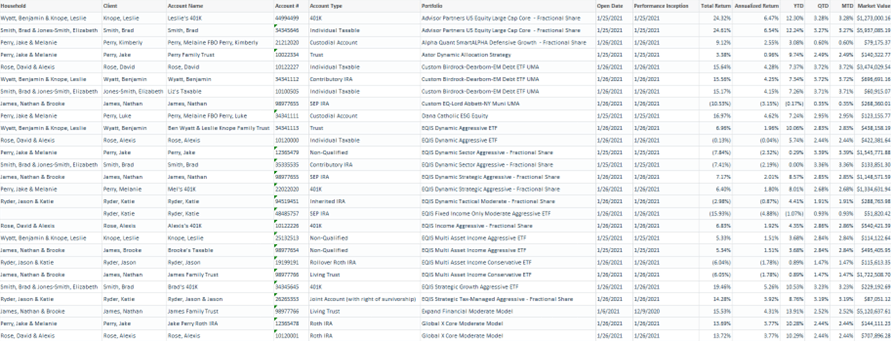
The Global Performance Review is now available in the Reporting Center, replacing the Daily Firm Summary with many enhancements added. Example:
How to Generate the Global Performance Review
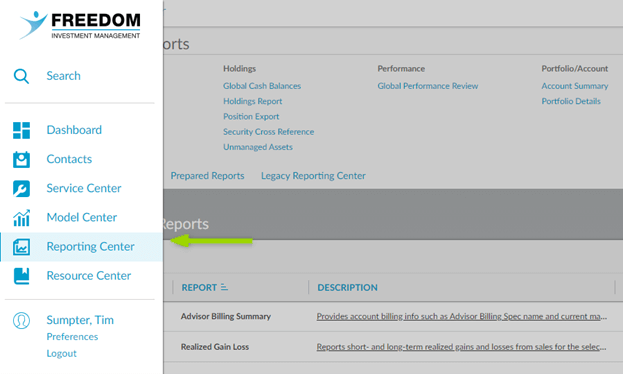
1. Go to the Reporting Center.
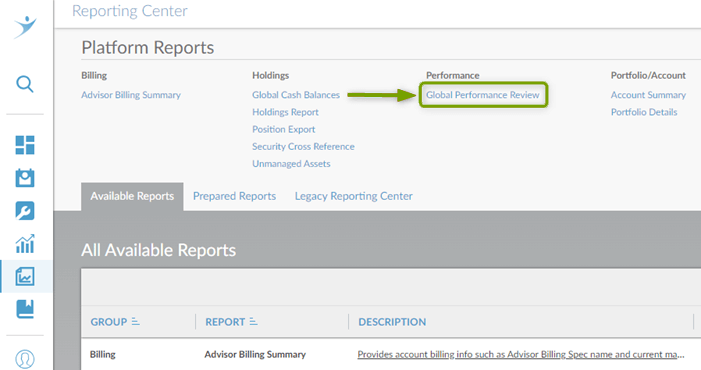
2. Click on Global Performance Review as shown below.
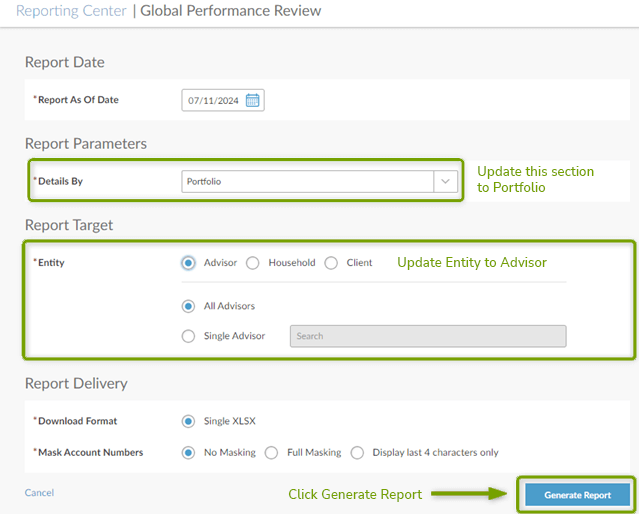
3. Set parameters for the report. This report supports the client, account, and portfolio level. In this example, we’ll generate this for the Portfolio level showing all portfolios in all your client accounts.
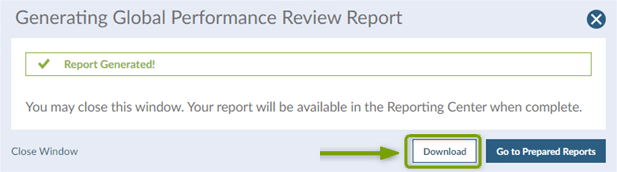
4. Click Download to review the Global Performance Review.
If you need assistance, please contact your Freedom Advisors service team.


 860-291-1998
 Schedule Demo