Platform Enhancements

Flow of Funds Report Enhanced

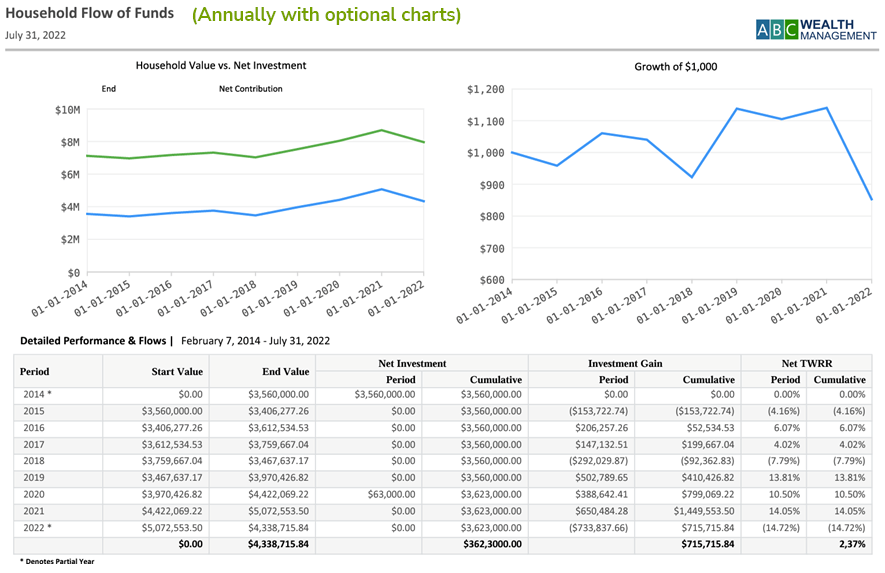
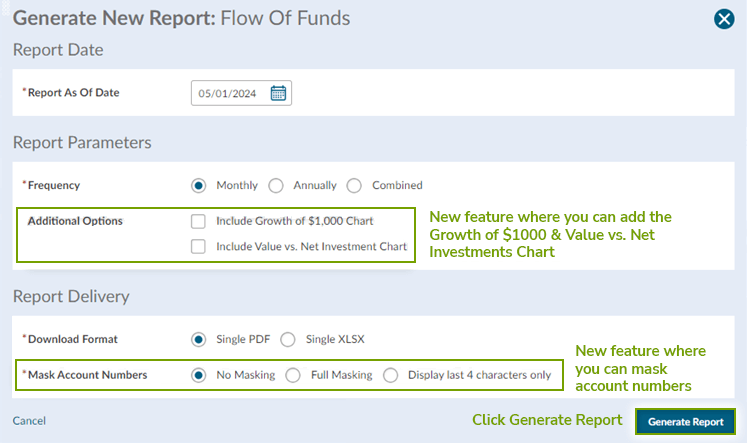
We're excited to announce upgrades to our most popular performance report, featuring new graphs and a revamped format. Now, you can incorporate a chart comparing account value to net investment and showcase a growth of $1,000.

flow-of-funds-202405

The Flow of Funds report includes start value, end value, net investment, investment gain, and investment return (Time Weighted Rate of Return) since inception. The report may be configured to display monthly, annually or both.

The report is run as of a single point in time and can be run for a single household, client, account, or portfolio and output as PDF or Excel.


How to Generate Flow of Funds Report on Account Level:

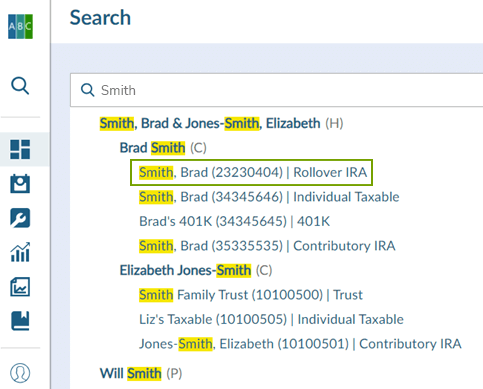
1. Search for the account

flow-of-funds-search-202405

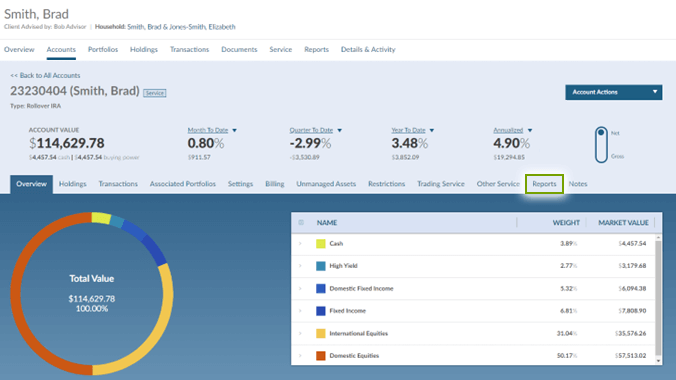
2. Click on the Reports tab from the account level

flow-of-funds-link-202405

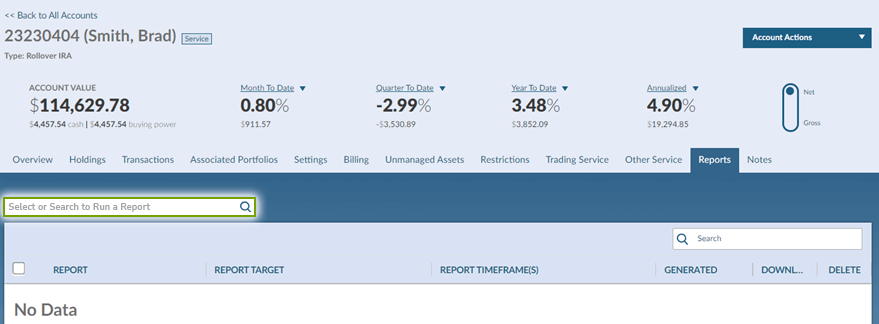
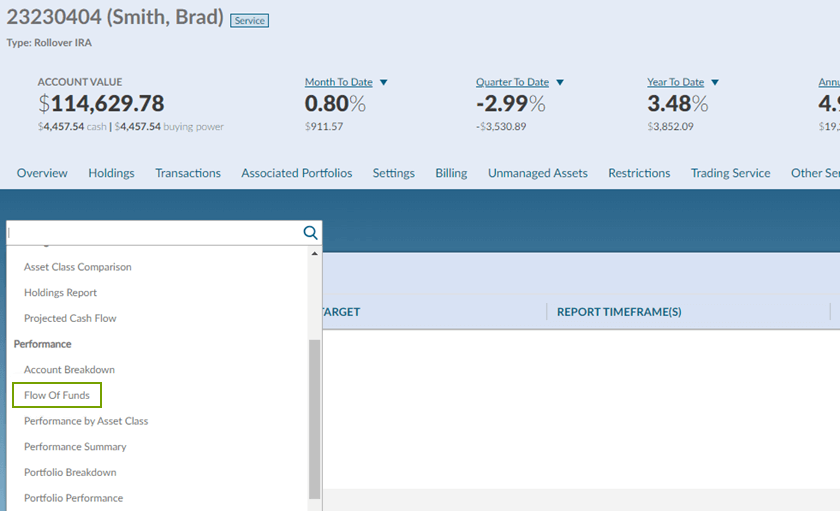
3. Click on the dropdown box in the upper left corner of the Reports tab

flow-of-funds-search2-202405

4. Under the Performance section click on Flow of Funds

flow-of-funds-perf-202405

5. Adjust your parameters and generate report

flow-of-funds-generate-202405

Let us know if we can help or you have suggestions. We value your feedback on our latest updates and our dedicated Advisor Services team is ready to assist you by chat or at 800-949-9936 or support@freedomadvisors.com.

MT-545460