
Keeping you informed on the markets, trends and how Freedom Advisors is serving you.
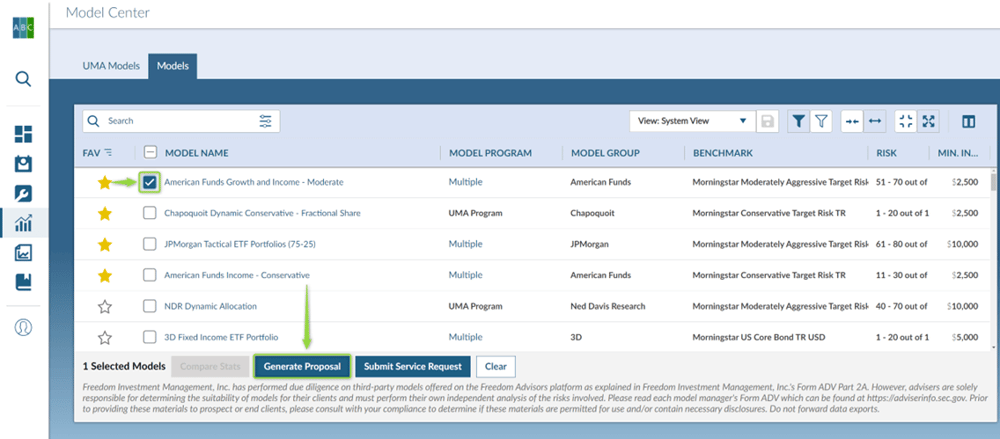
After making your model selection, simply click the check box to the left of the model and click Generate Proposal.
Watch this quick tutorial video below to learn how to utilize this feature.
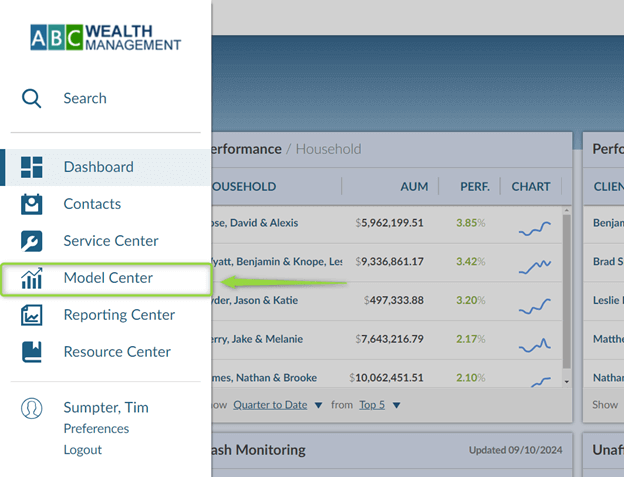
1. Navigate to the Model Center.
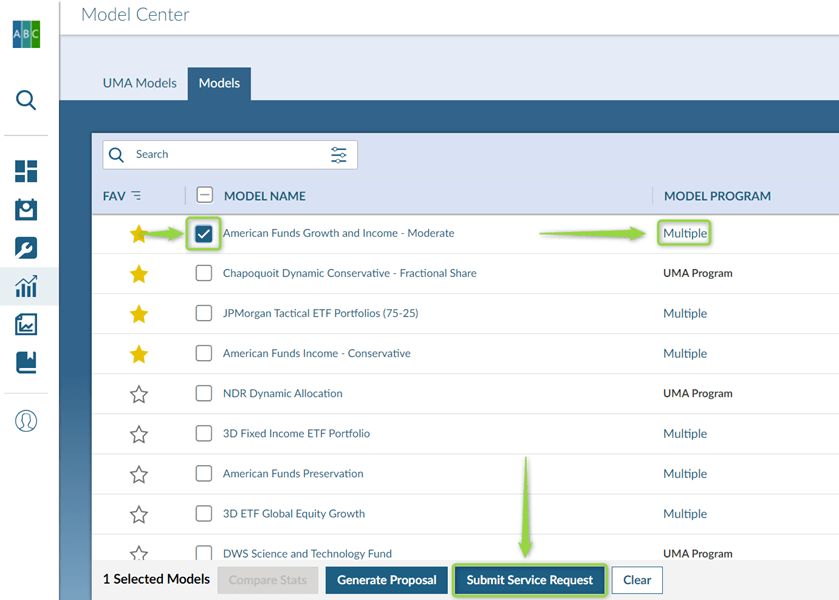
2. Click the Checkbox for the model for which you would like to create an Investment Plan proposal. Pay attention to whether the model program is UMA Program or Multiple. In this example, the model selected is multiple. Click Generate Proposal.
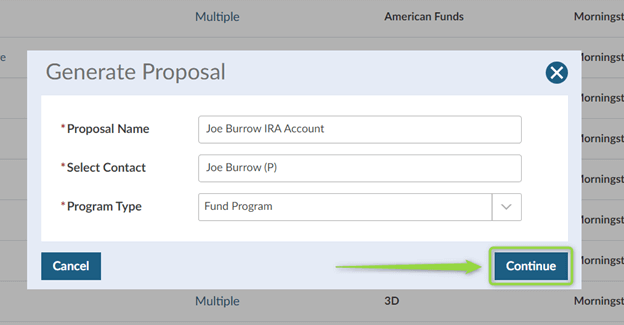
3. A pop-up window will appear where you will enter the title for the Investment Plan, search for the client or prospect for whom you are creating the proposal and select whether this is the UMA or Fund Program. Since this is a single sleeve model that is 100% pooled vehicles, we will be using Fund Program. Click Continue.
4. On the next screen enter in the investment amount. Click Continue.
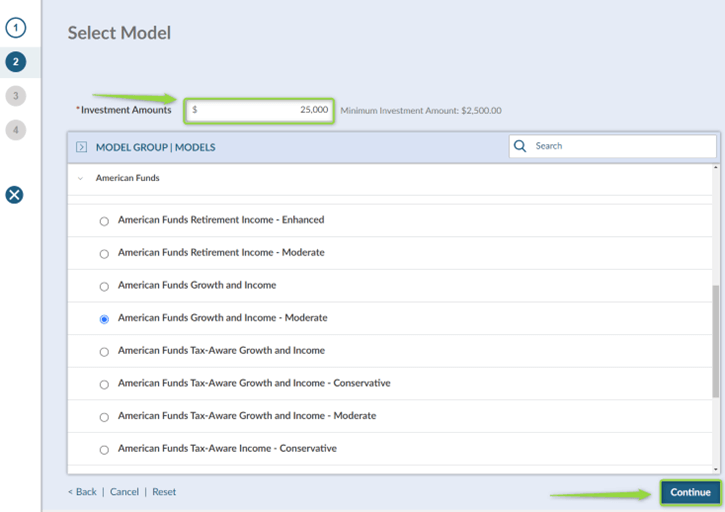
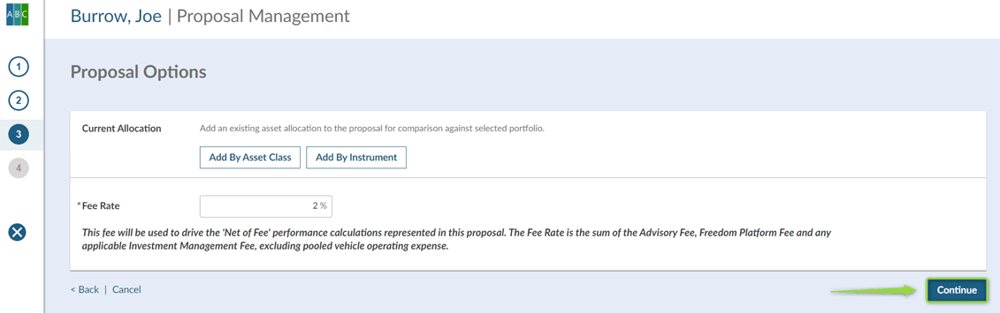
5. In the Proposal Options section, you can compare the current portfolio to the proposed portfolio. This can be entered by asset class or by position. The Fee Rate is your rounded up estimate of the sum of the Advisory Fee, Freedom Platform Fee, and applicable Investment Management Fees. Reach out to your Advisor Services Team if you need help with the Freedom Platform Fee and Investment Management Fees. Click continue.
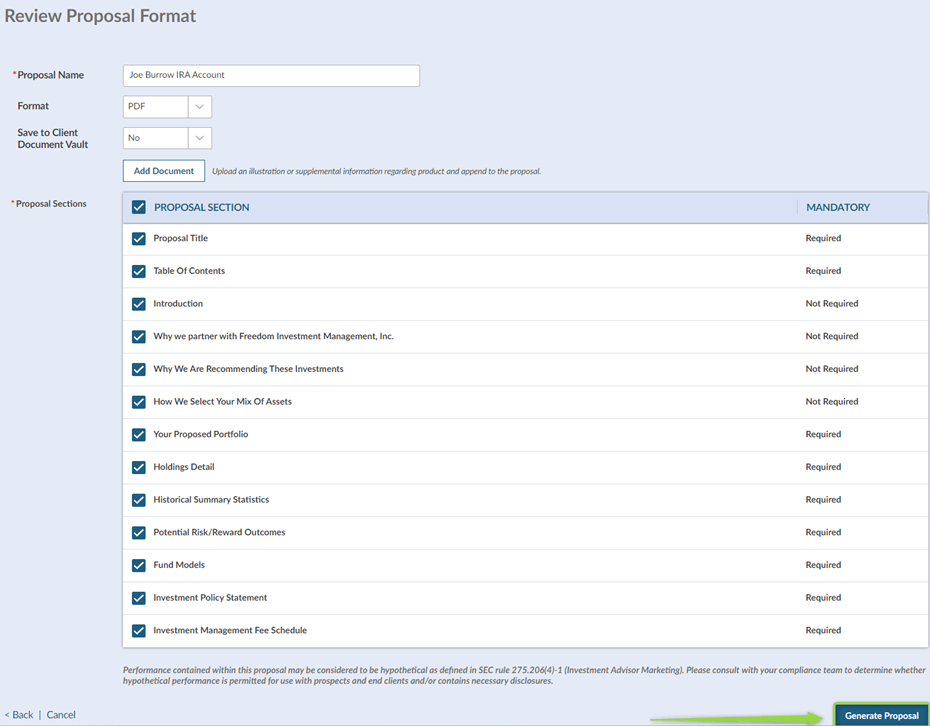
6. In the last section, you have the ability to remove sections of the Investment Plan proposal if they are not required. Then click Generate Proposal.
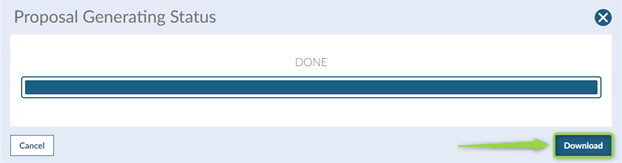
7. Click the Download button to review the Investment Plan proposal.
If you need assistance, please contact your Freedom Advisors service team.
MT-604973

Freedom Advisors offers a turnkey asset management platform (TAMP) with a complete portfolio management solution, comprehensive outsourcing of operations, and high-touch service to help advisors run efficient practices and deliver superior outcomes for their clients.

This website is for investment professionals only. It is not intended for retail investors. Retail investors who are interested in our investment services should contact a financial advisor.
© Freedom Advisors. All rights reserved.
 860-291-1998
 Schedule Demo