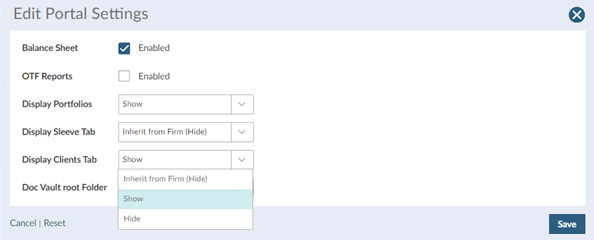
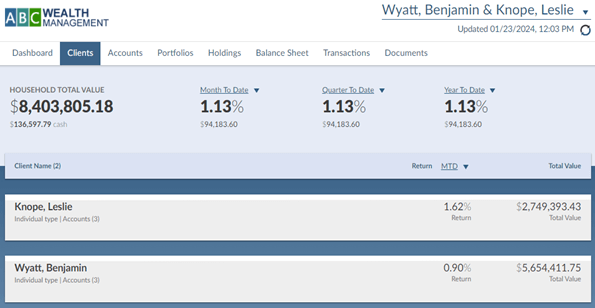
Beyond the default Client Portal settings, you may be surprised to learn how much more information you can choose to make viewable in the Client Portal. The default setting is the simplest view. If one client asks to see more or you decide one or more clients should see more, the options include the Balance Sheet, Clients and Portfolio tabs, the Sleeve Allocation tab that appears in the Portfolio view for any multi-sleeve model, Unrealized Gain/Loss (UGL) at the Account level, and the On-The-Fly (OTF) performance report.
You are able to select most of these options yourself right in the platform by going into a Household and clicking Details & Activity > Portal Settings & Activity > Edit Portal Settings and making selections. If you want to turn on UGL, that you can do in each account in Settings. If you would like to turn on the Balance Sheet, we have to do that for you. If you wish to have any of these views appear for a large number of clients, we are happy to make that change for you.


 860-291-1998
 Schedule Demo