
Keeping you informed on the markets, trends and how Freedom Advisors is serving you.
After our soft launch a few months ago, advisor and assistant use of our new non-trading service requests on the platform has grown like wildfire because it’s easy and convenient to submit directly through the platform rather than sending emails. We started with the service requests shown in the guide below and will be adding many more soon.
The most popular so far are one-time distributions. You can also change your Advisory Fee, add your logo, add or remove a staff member, and change your profile information. There is also one for you to suggest new request types for us to add!
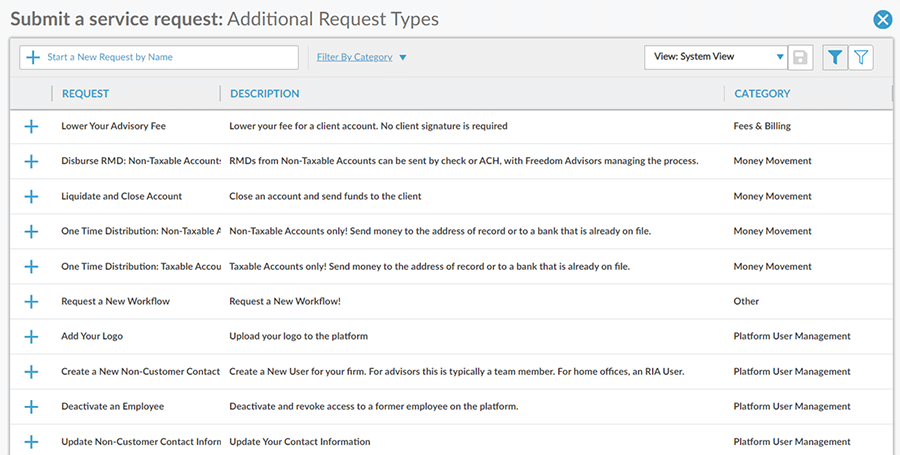
When entering the Service Center there is a new menu option: “See Other Request Types.”
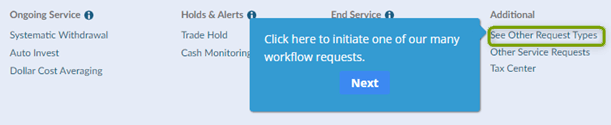
Once you click on the above link, the below pop-up window will appear with options to initiate a new request.
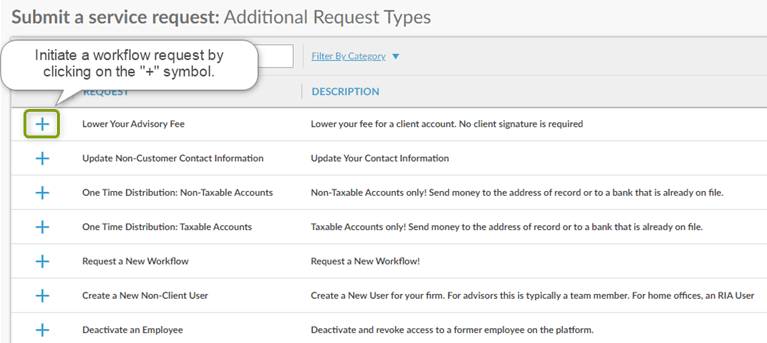
A request can be initiated by clicking on the “+” icon, which will result in a pop-up window appearing like the one below.
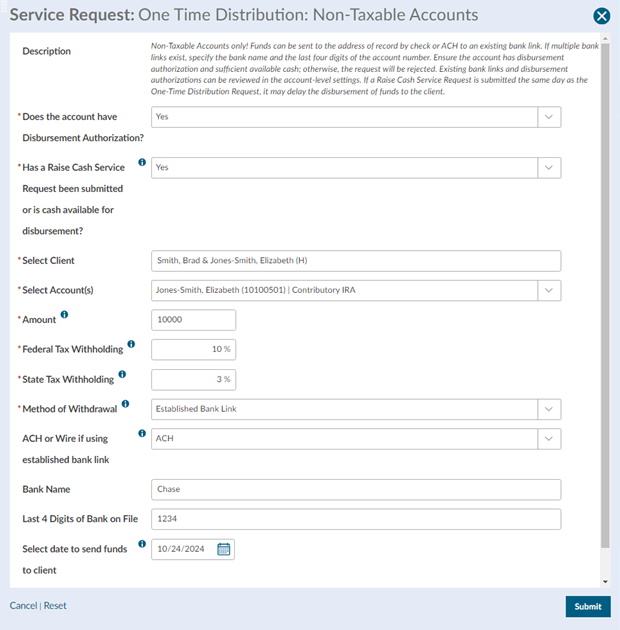
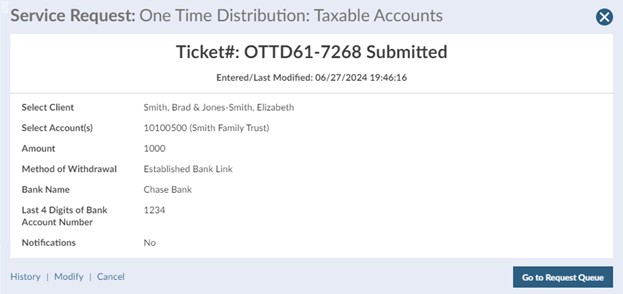
Read the description to make sure you have selected the right request option. Check the account number and name. Fill out the fields and enter your password to submit the request. Like all other existing service requests, a ticket will be generated like the one below.
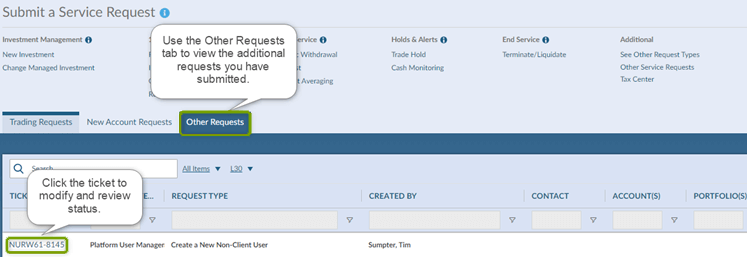
You can track the status of your requests via the new Other Requests tab in the Service Center tab in the left nav bar or in the Service tab in any account or household. Once a request has been submitted, you can review, modify, or cancel the request by clicking on the ticket.
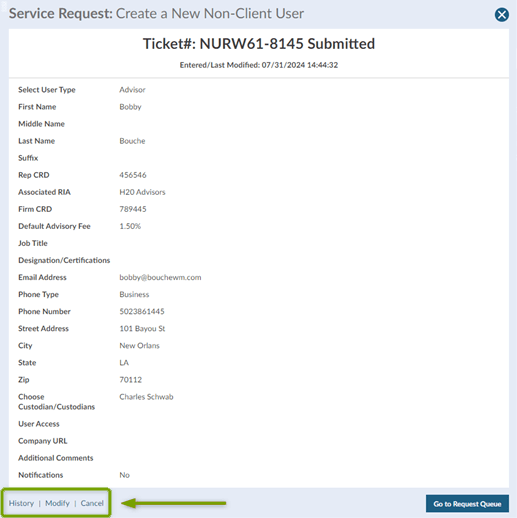
Below is an example of the pop-up window that will appear. You will notice in the bottom left corner you can click History, Modify or Cancel.
The History link shows the chronological history of status changes for the request.
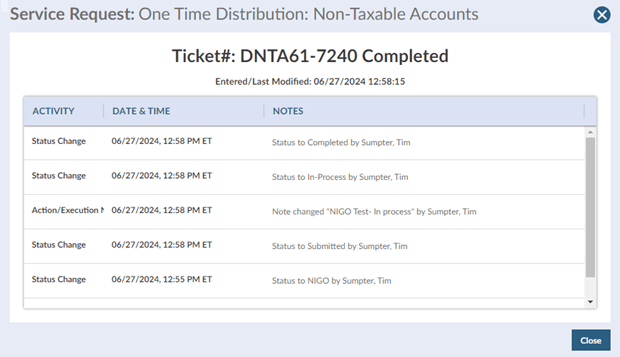
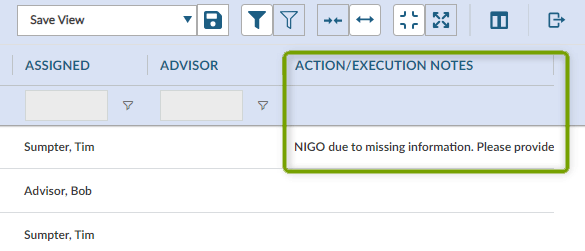
If a request is not in good order (NIGO), you can find the reason in the Action/Execution Notes column.
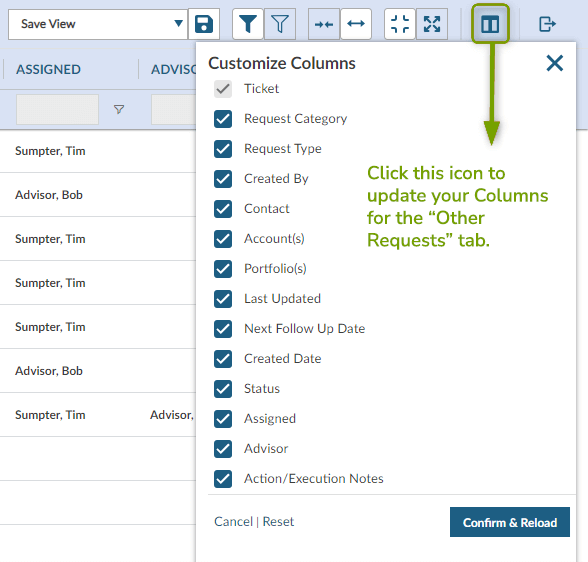
For your ongoing view of the service queue for Other Requests, click on the icon below and select the columns you want to appear going forward when you visit the queue.
One Time Distribution: Non-Taxable Accounts
One Time Distribution: Taxable Accounts
Disburse RMD: Non-Taxable Accounts
Create a New Non-Client User
Update Non-Customer Contact Information
We know from very positive feedback received already that you will find these additional service requests helpful and efficient, but please let us know if we can help in any way. Contact your Freedom Advisors service team.
MT-624783

Freedom Advisors offers a turnkey asset management platform (TAMP) with a complete portfolio management solution, comprehensive outsourcing of operations, and high-touch service to help advisors run efficient practices and deliver superior outcomes for their clients.

This website is for investment professionals only. It is not intended for retail investors. Retail investors who are interested in our investment services should contact a financial advisor.
© Freedom Advisors. All rights reserved.
 860-291-1998
 Schedule Demo