
The Dispatch keeps you informed on the markets, trends and how Freedom Advisors is serving you.
Advisors and their team members are increasingly realizing the benefits of entering investment instructions directly in the Freedom Advisors platform. It is quicker, more efficient, and safer.
To help you save time and avoid the hassle of forms and emails, we have created simple step-by-step tours in the platform for every investing function. These are available bottom left on every page by clicking on the “Investing Steps” checklist and selecting the investing action you wish to take. It will guide you through every step of the process.
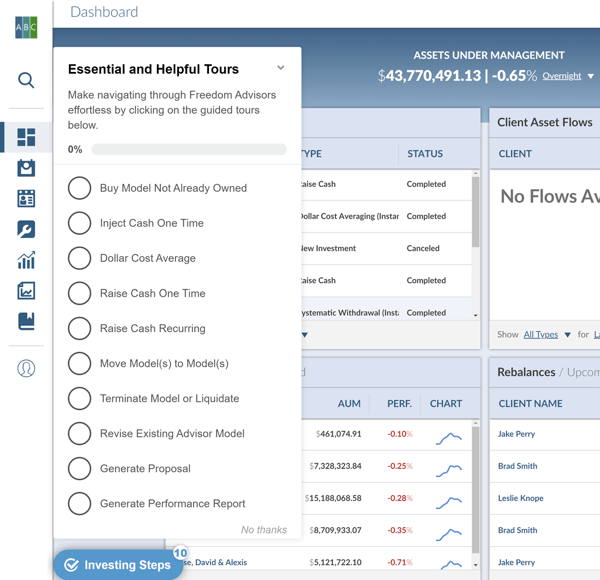
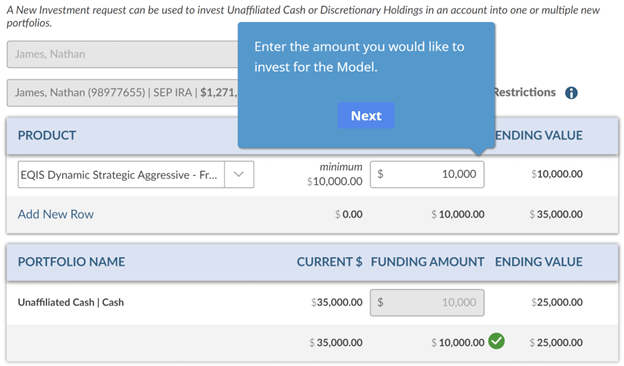
For example, if you are making a new investment, click on “Buy Model Not Already Owned” and below is the first guidance that pops up. Click on the magnifying glass and enter an account name or number and click on it.
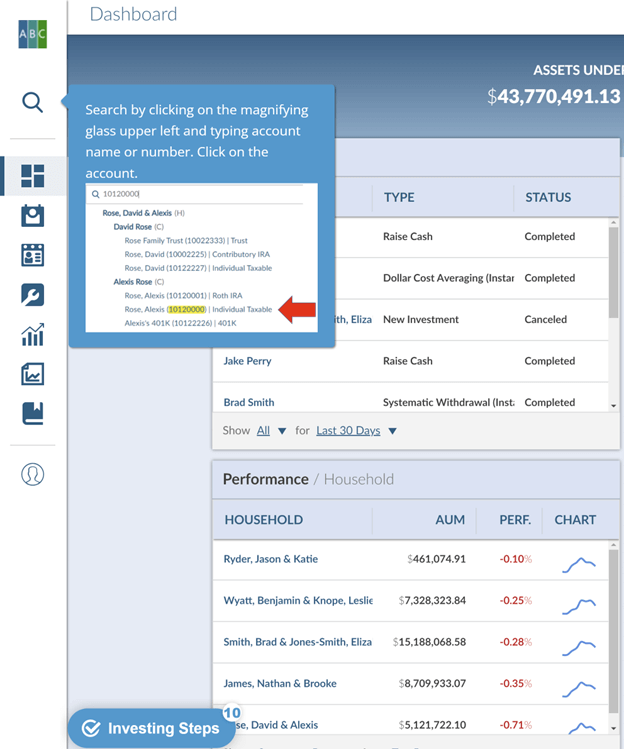
In your first submission, take your time and pay close attention to the instructions in the pop-up.
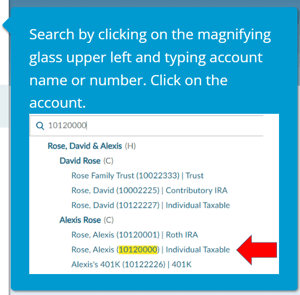
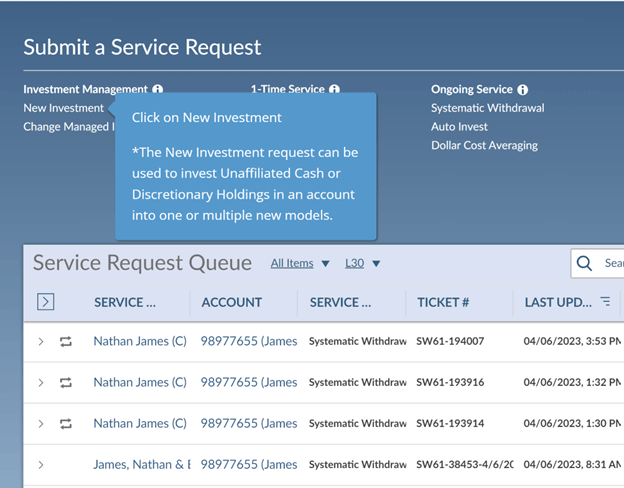
After clicking on the account highlighted in yellow in your search, the next pop-up points you to New Investment. Click on it.
After you complete each tour, the button is checked and turns green. You are still able to re-tour if the green check mark appears but you at least know you have gone through it once before.
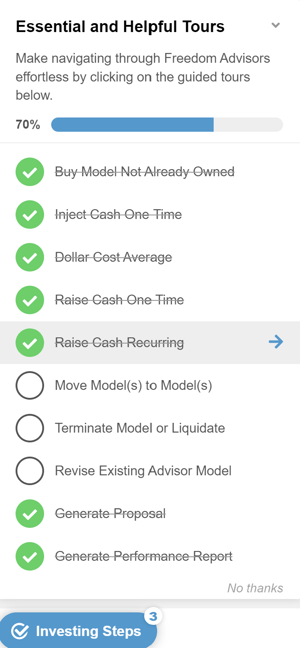
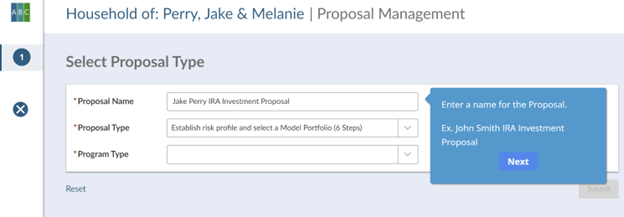
In addition to tours guiding you through all the investing actions, we also provide a tour taking you through creating an Investment Plan proposal.
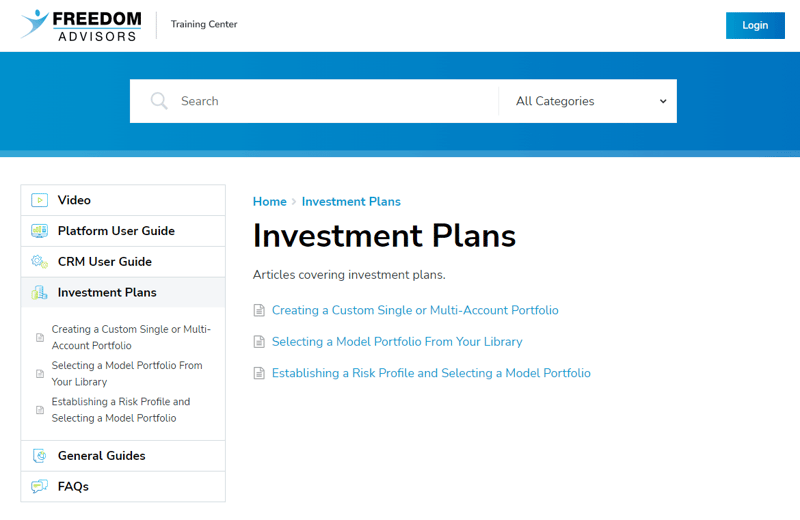
Don’t forget the Freedom Advisors Training Center, backed with videos, guides and FAQs.
And of course we are here to guide you as needed. Contact Advisor Services at support@EQIS.com or 800-949-9936 and press 2.
MT-368700

Freedom Advisors offers a turnkey asset management platform (TAMP) with a complete portfolio management solution, comprehensive outsourcing of operations, and high-touch service to help advisors run efficient practices and deliver superior outcomes for their clients.

This website is for investment professionals only. It is not intended for retail investors. Retail investors who are interested in our investment services should contact a financial advisor.
© Freedom Advisors. All rights reserved.
 860-291-1998
 Schedule Demo