Keeping you informed on the markets, trends and how Freedom Advisors is serving you.
MAKING IT EASIER TO DO BUSINESS
New Filtering in Freedom Advisors
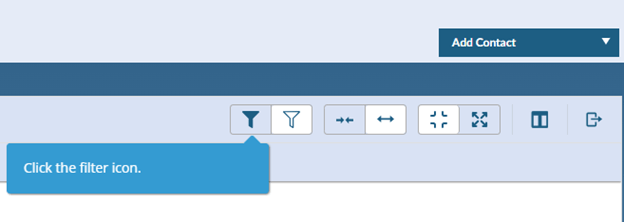
In Freedom Advisors you can now filter in the Model Center and Client Center (“Contacts”) to quickly find what you are looking for. To initiate filtering, select the filter icon below.
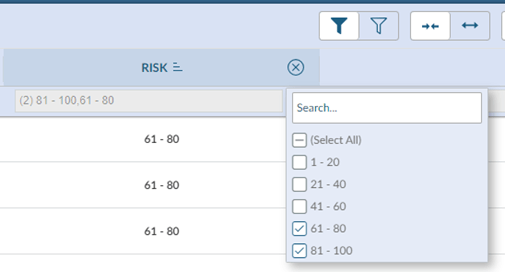
Once you select the filter icon, click the filter in the column of interest then type what you are looking for in the search box or deselect the check boxes in the pop-up window.
The Model Center example below shows how easily you can filter by risk score.
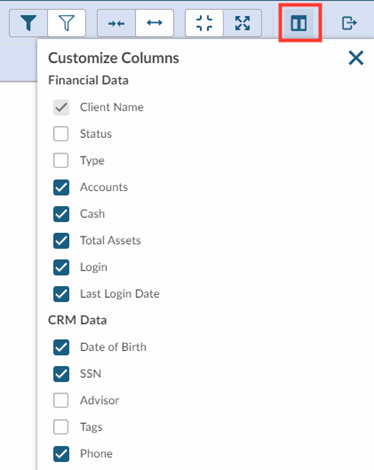
Looking for a more complete profile of clients? In the Household and Client tabs in Contacts you can easily add columns such as Total Assets, Cash, Phone, Email Address, and Last Login Date by clicking on the icon below.



 860-291-1998
 Schedule Demo