
Keeping you informed on the markets, trends and how Freedom Advisors is serving you.
The Freedom Advisors platform provides so much performance reporting capabilities that in order for you to be aware of it all, here is a quick guide and introduction.
The Monthly Performance & Billing Report placed in the Household’s Documents vault each month will always be the official report, but it will take longer to be published to ensure we have accounted for all backdated transactions and other cashflows. So you might want to pull unofficial monthly performance or you may want a different type of performance reporting or for a different time period. Your new platform provides it all.
Here is a sample first page of the official Monthly Performance & Billing Report.
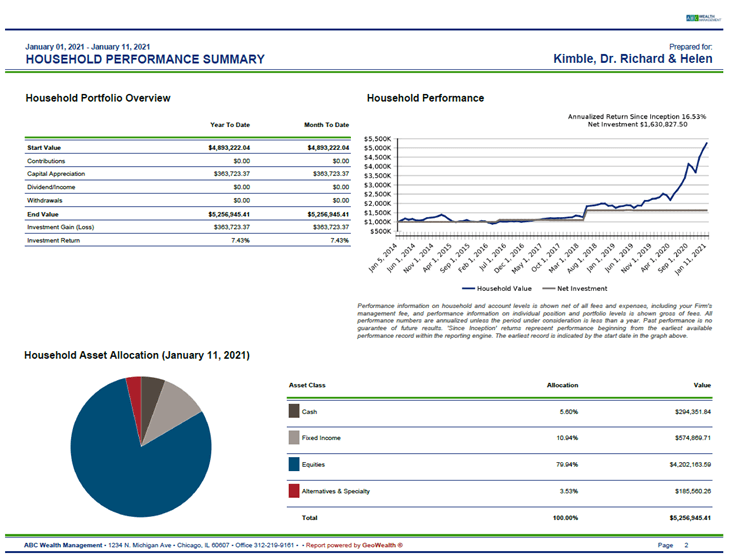
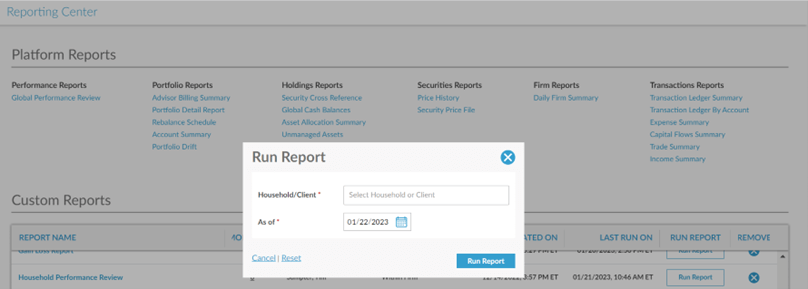
In the interim between month-end and the publishing of the official Monthly Performance & Billing Report, you have one-click access to the Household Performance Review in the Reporting Center in Custom Reports, which looks very similar to the official monthly report but without the billing page. This report allows you and your staff to run monthly performance reports when you need them, including in the early days of the month before the official finalized report is published.
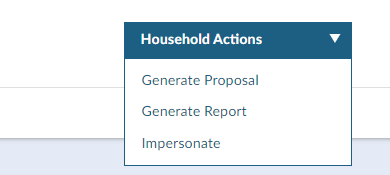
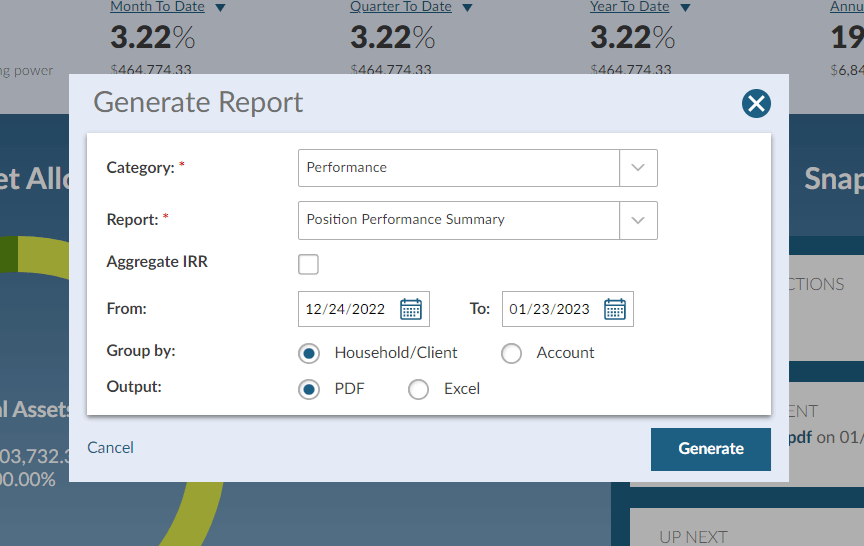
You can also generate a variety of performance reports from any household, client or account view on demand by simply clicking on the upper right “Household Actions” dropdown and selecting Generate Report.
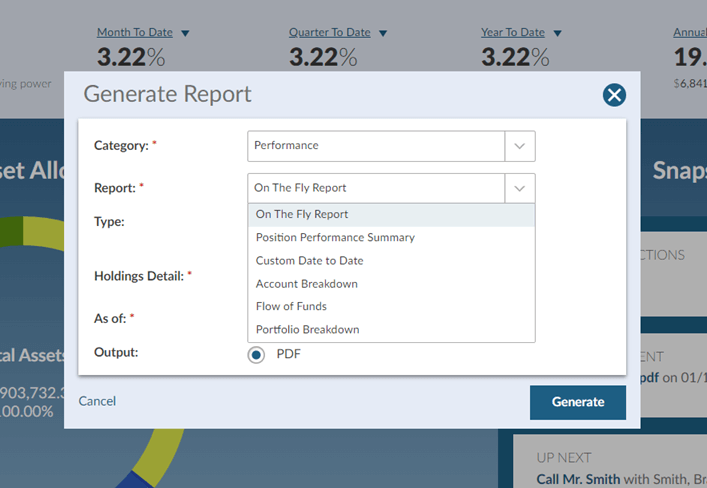
Then pick from one of the six report types.
Some reports allow for date-to-date options.
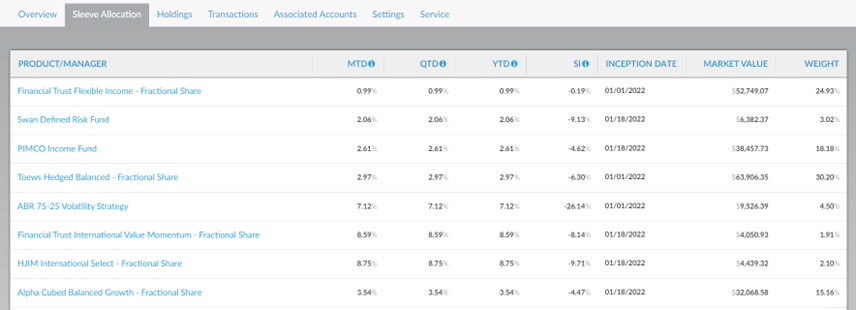
There are multiple ways to get to sleeve level performance for multi-sleeve models. Right in the household or account view click on Portfolios or Associated Portfolios and then click on Sleeve Allocation (this tab only appears if it is a multi-sleeve model).
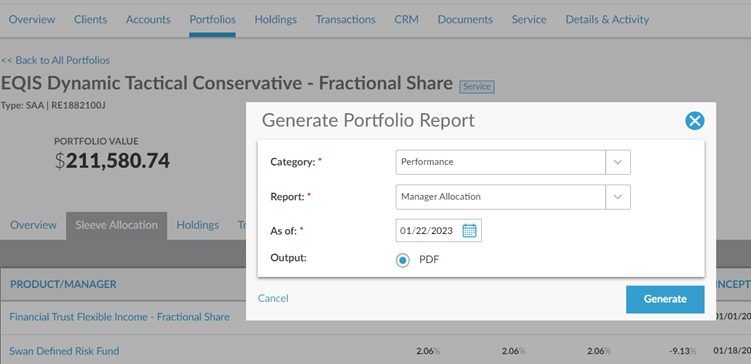
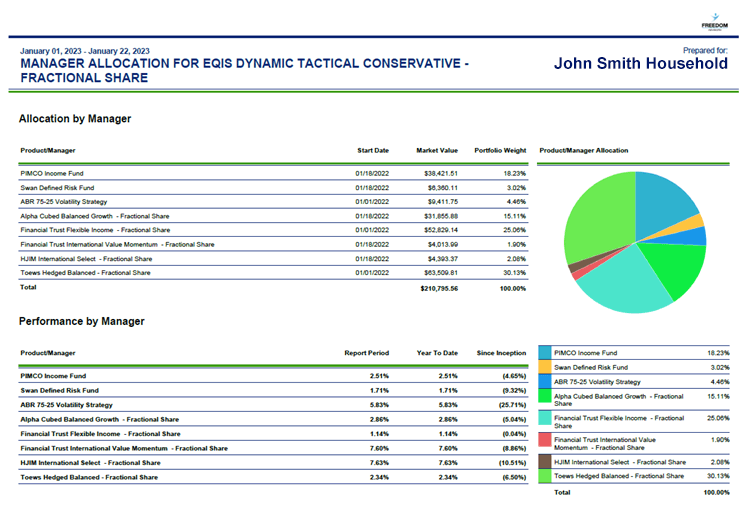
For a bit more detail and in better presentation form, you can access a sleeve level performance report at the account level by going to Associated Portfolios > Click on the model > Portfolio Actions > Generate Report > Toggle “Category” to Performance > Toggle “Report” to Manager Allocations > Generate.
The PDF output looks like the below.
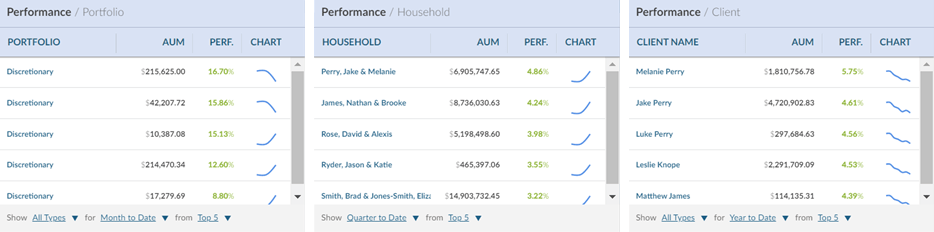
Of course, each time you log into the platform you see the various performance reporting modules if you have selected them to appear on your dashboard. Note that the line graph is interactive, you can change the time period at the bottom of the tile, and you can click right into any account of interest.
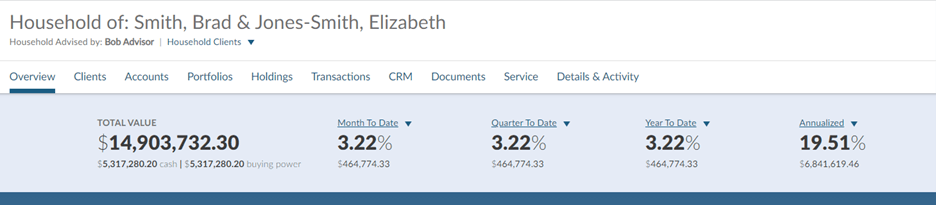
Always visible when in a household, client or account view is the below performance ribbon, which you can set to gross or net performance and you can change the time period for any of the numbers.
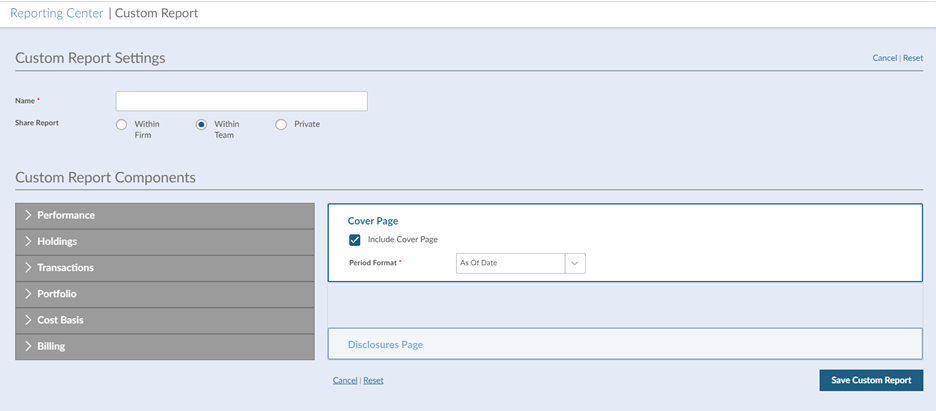
If you like to conduct your client reviews in a particular way, just let us know. We will work with you to create one-click access to your own custom report and we can build it with you in under one minute. There are dozens of charts and tables that can be ordered any way you like.
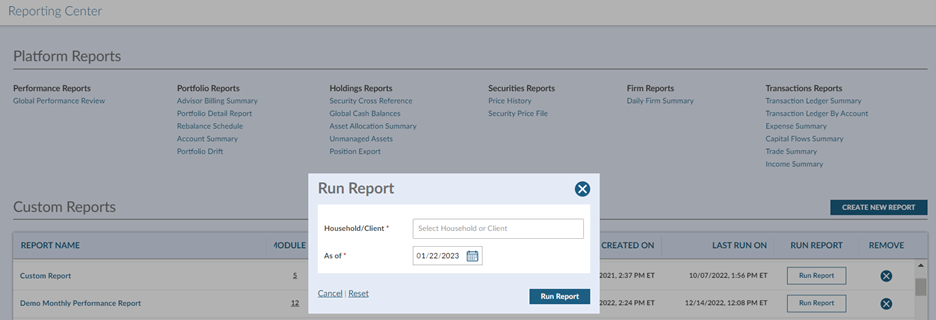
It then will be there for easy access on demand, just pick the client.
The popular Client Summary Report from our legacy TAMP platform survived in a slightly different format and will be placed in your Documents vault monthly.
Clients have access to much of the same performance reporting but with simplified views, and with the Documents vault you are able to securely deliver any additional performance reports you may determine would be valuable for the client, including any external applications you may use.
There is a variety of other reporting capabilities built into the platform, including the underlying components that make up performance reporting such as:
Although we are receiving very positive feedback from advisors on the extent of performance reports and flexibility as to time periods, format and content, we are always open to receiving requests and ideas for improvement.
Contact your Business Consultant or Advisor Services at support@EQIS.com or 800-949-9936 and press 2.
MT-341668

Freedom Advisors offers a turnkey asset management platform (TAMP) with a complete portfolio management solution, comprehensive outsourcing of operations, and high-touch service to help advisors run efficient practices and deliver superior outcomes for their clients.

This website is for investment professionals only. It is not intended for retail investors. Retail investors who are interested in our investment services should contact a financial advisor.
© Freedom Advisors. All rights reserved.
 860-291-1998
 Schedule Demo